
What you need to know
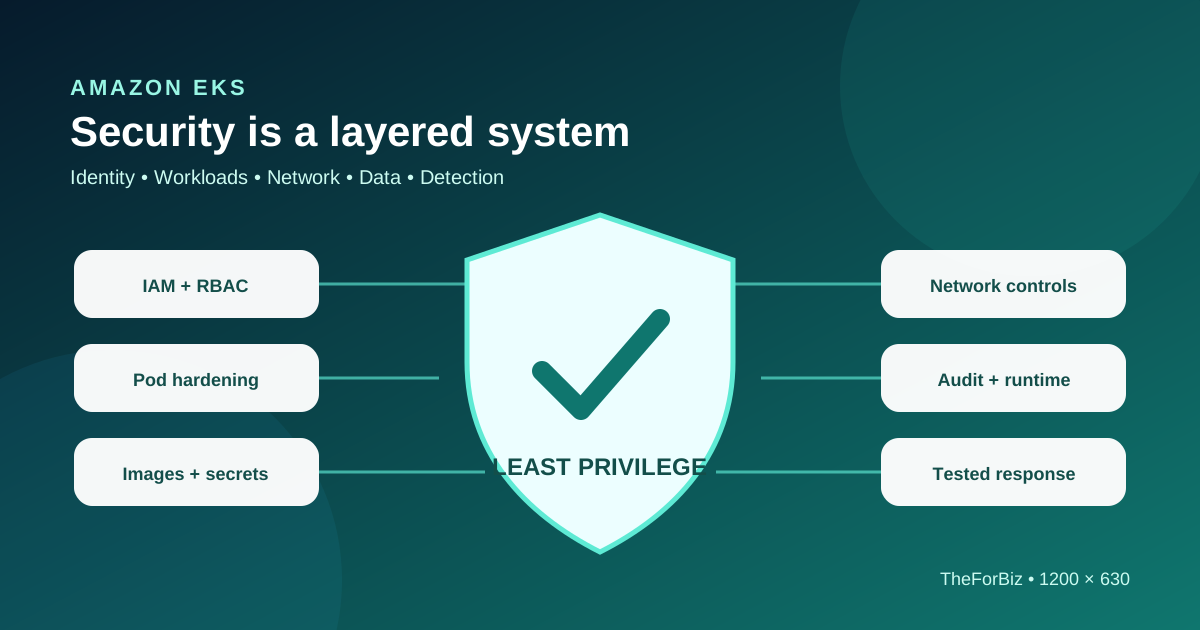
- EKS security spans AWS IAM, Kubernetes authorization, workload identity, Pods, networks, images, data, and operations.
- Use temporary human access and narrowly scoped workload roles instead of sharing broad credentials.
- Enable and retain the logs required to investigate access, changes, network activity, and workload behavior.
- A secure baseline must be tested continuously because cluster versions, add-ons, images, and permissions change.
What are the most important Amazon EKS security practices?
The most important EKS security practices are to apply least privilege in both AWS IAM and Kubernetes RBAC, give each workload a narrowly scoped identity, restrict Pod privileges and network paths, protect images and secrets, enable useful audit and runtime visibility, keep supported software current, and rehearse incident response. No single control secures a cluster.
AWS manages the EKS control plane, but customers remain responsible for identities, Kubernetes permissions, workload configuration, data, network policy, container images, customer-managed nodes and add-ons, monitoring goals, and response. The exact boundary changes with Auto Mode, Fargate, managed node groups, and self-managed nodes.
Continue reading: Read the concise EKS definition · Understand the EKS platform · AWS: EKS security best practices ↗
Secure human and cluster access
Treat AWS authentication and Kubernetes authorization as connected but separate layers. Use federated, temporary human access through an approved identity provider where possible. Map access deliberately, keep routine users out of cluster-admin, and maintain a controlled break-glass path that is logged and tested.
Prefer EKS access entries and least-privilege RBAC
Use EKS access entries and access policies where they fit the operating model, then apply Kubernetes Roles and RoleBindings at the smallest practical scope. Review who can create privileged Pods, read secrets, impersonate users, modify admission controls, or change role bindings because these permissions can become privilege-escalation paths.
Separate human and workload identities
Do not place long-lived AWS keys in container images, environment files, or Kubernetes Secrets. Give workloads their own AWS permissions with EKS Pod Identity or IAM roles for service accounts, then scope the IAM policy to the required actions and resources.
Continue reading: AWS: Cluster access management ↗ · AWS: Identity and access management ↗
Harden Pods and nodes
Apply Kubernetes Pod Security Standards or equivalent admission controls to prevent unnecessary host access and unsafe container settings. A practical restricted baseline normally avoids privileged containers, host namespaces, unrestricted host paths, root execution, writable root filesystems where unnecessary, and extra Linux capabilities.
Make secure workload settings the default
Define approved security contexts in deployment templates and enforce them through policy. Set resource requests and limits, use readiness and liveness checks carefully, and use dedicated node groups or stronger isolation where workload risk requires it.
Patch the components you control
Keep the Kubernetes version within EKS support, update customer-managed add-ons, rotate managed node groups onto current images, and replace rather than repair drifted nodes. Auto Mode manages more of the node lifecycle, but application images and Kubernetes configuration remain customer responsibilities.
Continue reading: AWS: Pod security best practices ↗
Control network exposure
Use private subnets for nodes where appropriate, review the Kubernetes API endpoint exposure, and minimize security-group rules. NetworkPolicy can restrict allowed Pod traffic, while security groups control traffic at the VPC interface level. These controls solve different problems and may be used together.
Start from documented application flows. Allow only the required ingress, egress, DNS, control-plane, load-balancer, and AWS service paths. Validate that the chosen CNI and compute mode enforce the policies you write.
Protect public entry points
Expose only intended Services and Ingress resources. Apply TLS, authentication, rate controls, and web application protections according to risk. Review load balancer annotations and security groups because a small manifest change can alter public reachability.
Continue reading: AWS: EKS network security ↗ · AWS: Private EKS clusters ↗
Protect images, data, and secrets
Build images from trusted minimal bases, scan them before deployment, sign or otherwise verify provenance where the delivery system supports it, and block known critical risk according to a documented exception process. Use immutable tags or digests so an approved deployment cannot silently pull different code.
Amazon EKS uses default envelope encryption for Kubernetes API data in the managed control plane on current supported versions. This protects stored API data, but it does not make a Kubernetes Secret safe to distribute broadly. Limit read access, avoid logging secret values, rotate credentials, and use AWS Secrets Manager integration where centralized lifecycle management is required.
Continue reading: AWS: Default envelope encryption ↗ · AWS: Secrets Manager with EKS Pods ↗
Log, detect, and respond
Enable the control-plane log types needed for operations and security, especially Kubernetes audit logs. Retain and protect logs according to investigation and compliance needs. Combine them with CloudTrail, VPC Flow Logs, application logs, image findings, and runtime signals so an alert can be traced to an identity, API action, network path, and workload.
Create response procedures for stolen credentials, exposed Services, vulnerable images, compromised Pods, suspicious API activity, and node compromise. Test how to revoke access, isolate workloads, preserve evidence, redeploy clean capacity, rotate secrets, and communicate impact without destroying the records needed for analysis.
Continue reading: AWS: EKS auditing and logging ↗ · AWS: EKS runtime security ↗
EKS security review checklist
Review the checklist during design, before production, after material platform changes, and on a defined schedule. Record the owner, evidence, exception, and next review date for each control.
- Human access is federated, temporary, least-privilege, and reviewed.
- Workloads use dedicated roles without embedded long-lived AWS keys.
- Cluster-admin, secret-reading, impersonation, and admission-control permissions are tightly restricted.
- Pod security controls block unsafe privilege, host access, and unnecessary capabilities.
- API endpoints, load balancers, security groups, and NetworkPolicies match documented flows.
- Images are trusted, scanned, traceable, and deployed by digest or controlled immutable tags.
- Secrets have limited readers, defined rotation, and safe application delivery.
- Supported versions, nodes, add-ons, and dependencies have named patch owners.
- Audit, identity, network, workload, and runtime logs are retained and monitored.
- Recovery and incident-response procedures are tested with evidence.
Frequently asked questions
Does AWS secure an EKS cluster automatically?
AWS secures and operates the managed EKS control plane. Customers still secure access, workloads, Kubernetes configuration, data, networks, images, customer-managed components, monitoring, and incident response.
Should EKS worker nodes be in private subnets?
Private subnets are a common production design because they reduce direct internet exposure, but the correct design depends on required connectivity, endpoints, egress, load balancers, and operational constraints.
What is the difference between IAM and Kubernetes RBAC in EKS?
IAM authenticates and authorizes AWS actions. Kubernetes RBAC controls actions against Kubernetes resources after a principal is recognized by the cluster. Secure EKS designs manage both layers.
Are Kubernetes Secrets encrypted in EKS?
Current supported EKS versions use default envelope encryption for Kubernetes API data in the managed control plane. Access to Secret objects must still be restricted because authorized readers can retrieve their contents.
Which EKS logs matter for security?
Kubernetes audit logs are central. Teams commonly correlate them with EKS control-plane logs, CloudTrail, VPC Flow Logs, application logs, image findings, and runtime monitoring according to their threat model.