
What you need to know
- EKS Auto Mode extends AWS management beyond the control plane to key data-plane infrastructure and cluster capabilities.
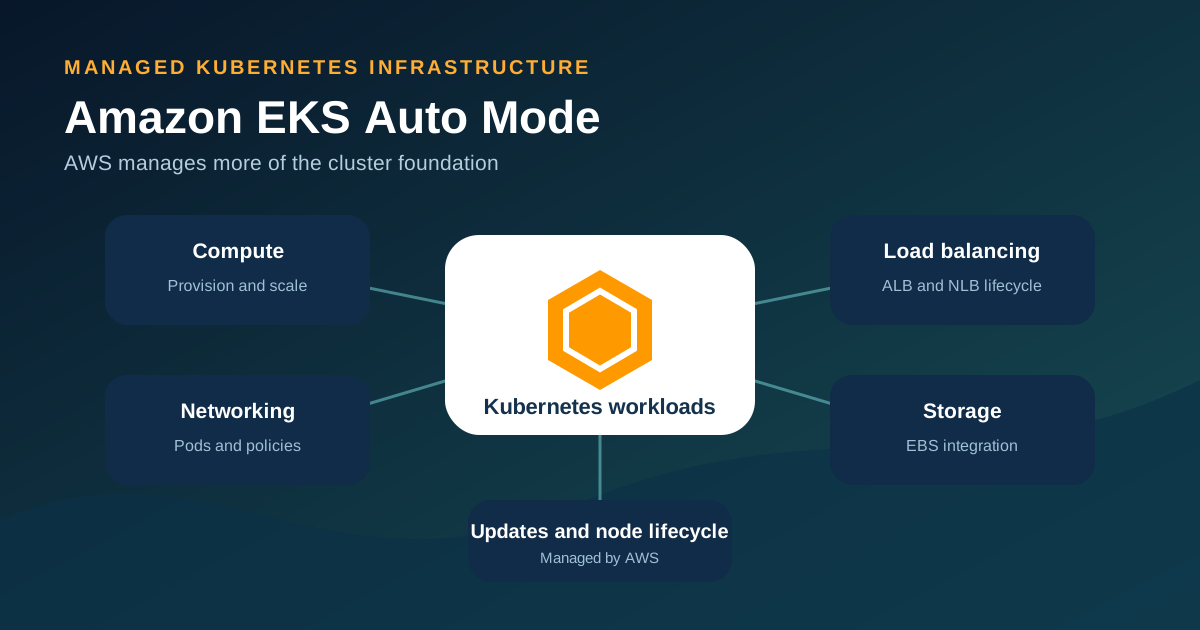
- AWS manages Auto Mode nodes, compute scaling, Pod networking, load balancing integration, block storage, and several supporting components.
- Customers still own applications, container images, Kubernetes configuration, access decisions, data, monitoring goals, and workload availability.
- Auto Mode reduces infrastructure work but adds a management charge for Auto Mode-managed EC2 instances and does not support every customization pattern.
What is Amazon EKS Auto Mode?
Amazon EKS Auto Mode is an EKS operating option that lets AWS configure and manage more of the infrastructure required to run Kubernetes workloads. Standard EKS always manages the Kubernetes control plane. Auto Mode extends that managed boundary into the data plane and makes compute, networking, load balancing, cluster DNS, block storage, and other capabilities available as integrated components.
Auto Mode remains Kubernetes. Teams continue to use Kubernetes-compatible tools, manifests, Deployments, Services, NodePools, and other APIs. The difference is that AWS handles more of the infrastructure lifecycle that platform teams would otherwise assemble from EC2 capacity, autoscaling software, controllers, add-ons, and upgrade procedures.
Continue reading: Read the concise EKS definition · Understand the wider EKS platform · AWS: EKS Auto Mode overview ↗
What EKS Auto Mode manages
AWS packages several operational capabilities into Auto Mode. This reduces the number of separate infrastructure components a platform team needs to install, connect, patch, and monitor. The exact application configuration still comes from the customer.
| Area | What Auto Mode handles | What the customer still decides |
|---|---|---|
| Compute | Node provisioning, scaling, consolidation, health response, and replacement | Workload requests, limits, scheduling constraints, NodePools, and NodeClasses |
| Networking | Pod and service networking capabilities, including network policy support | VPC design, subnets, security requirements, and workload policies |
| Load balancing | Integration and lifecycle for supported Elastic Load Balancing resources | Service and Ingress configuration, exposure, certificates, and traffic policy |
| Storage | Integrated block-storage capability and node ephemeral-storage configuration | Storage classes, volume needs, backups, retention, and data recovery |
| Updates | Managed nodes and included components are updated by AWS | Control-plane version decisions, disruption controls, and application compatibility |
| Security | Locked-down managed node images and node lifecycle controls | Images, secrets, identity design, Kubernetes permissions, application security, and monitoring |
How scaling and nodes work
Auto Mode watches for Pods that cannot be scheduled and can provision suitable EC2 capacity through managed NodePools and NodeClasses. When demand falls, it can consolidate workloads and terminate capacity that is no longer needed, subject to workload and disruption constraints.
AWS describes Auto Mode nodes as appliance-like. The node images use a read-only root file system and SELinux enforcement, and direct SSH or Systems Manager access is not available. Nodes have a maximum lifetime of 21 days by default, after which replacement helps move the fleet onto updated software. Workload configuration can delay disruption, so Pod Disruption Budgets and NodePool Disruption Budgets must be designed carefully.
Continue reading: AWS: Learn how EKS Auto Mode works ↗ · AWS: Auto Mode cost optimization ↗
Security and shared responsibility
Auto Mode moves more infrastructure responsibility to AWS, but it does not make a Kubernetes application secure automatically. AWS manages the control plane, Auto Mode-launched EC2 instances, and specified cluster capabilities. Customers retain responsibility for application containers, availability design, data, monitoring, VPC configuration, cluster configuration, and access decisions.
A secure design still needs trusted container images, least-privilege IAM and Kubernetes permissions, secret protection, network policies where required, vulnerability response, audit logs, backup and recovery, and tested deployment controls. Immutable nodes reduce one class of drift; they do not validate the software running in Pods.
Customization and practical limits
Auto Mode is opinionated by design. Teams can add custom NodePools and NodeClasses to select instance categories, use Spot capacity, isolate workloads, or change storage and networking behavior. DaemonSets can add software that must run on nodes, but teams cannot treat managed nodes like general-purpose servers or log in to modify them directly.
Before adoption, test controllers, security agents, service meshes, storage requirements, GPUs, privileged workloads, operating-system assumptions, and any software that expects host-level access. A workload that depends on a custom AMI, direct node administration, or an unsupported feature may be better suited to managed node groups or self-managed capacity.
- Validate every admission controller, DaemonSet, CSI requirement, and networking dependency.
- Check whether workload disruption settings allow consolidation and scheduled node replacement.
- Use custom NodePools and NodeClasses instead of editing the Auto Mode defaults.
- Confirm regional availability and current feature support in AWS documentation before production rollout.
Continue reading: AWS: Configure EKS Auto Mode ↗
How EKS Auto Mode pricing works
Auto Mode does not replace normal EKS and infrastructure charges. AWS charges for the EKS cluster and the resources used by workloads. Auto Mode also has a management charge based on the duration and type of EC2 instances launched and managed by Auto Mode. That fee is in addition to the EC2 price and is independent of the EC2 purchase option.
The financial decision should compare the additional Auto Mode charge with engineering time, third-party components, upgrade work, incident risk, and unused capacity under the current model. Use the current AWS EKS pricing page because prices, supported instance types, and service terms can change.
Continue reading: AWS: Amazon EKS pricing ↗
When EKS Auto Mode is a good fit
Auto Mode is a strong candidate when Kubernetes is required but the team wants to reduce routine infrastructure assembly and node lifecycle work. It can suit new EKS platforms, dynamic workloads, and teams that prefer AWS-managed defaults over extensive node customization.
It is less compelling when a workload does not require Kubernetes at all, when direct host access or custom images are central, or when an established platform already operates its chosen components efficiently. In those cases, compare ECS, EKS managed node groups, and other compute models rather than assuming Auto Mode is the default.
- Pilot with a representative workload and real security, networking, storage, and observability requirements.
- Measure node utilization, scaling latency, disruption behavior, deployment reliability, and total cost.
- Test upgrades and failure recovery before moving critical workloads.
- Document the boundary between platform responsibilities and application-team responsibilities.
Frequently asked questions
Does EKS Auto Mode replace Kubernetes?
No. Auto Mode runs Amazon EKS and preserves Kubernetes APIs and tools. It changes how much of the supporting infrastructure AWS manages.
Is EKS Auto Mode the same as AWS Fargate?
No. Auto Mode provisions and manages EC2-based nodes for Kubernetes workloads. Fargate runs eligible Pods without customers managing EC2 worker nodes and has a different capability and pricing model.
Can I SSH into EKS Auto Mode nodes?
No. AWS documents Auto Mode nodes as locked-down managed instances that do not allow direct SSH or Systems Manager access.
Can I use custom NodePools with Auto Mode?
Yes. Teams can create custom NodePools and NodeClasses for workload-specific compute, isolation, Spot use, and supported storage or networking settings.
Does Auto Mode manage application security?
No. Customers remain responsible for application containers, images, identities, Kubernetes permissions, secrets, data protection, availability, and monitoring requirements.